
Overview
For the Cloud Infrastructure 2 module of my BTS Cloud Computing, my teammate and I turned a bare Intel 2U rack server into a shared storage server. We fitted the hardware, added hardware RAID for resilience, installed UnRAID, mounted it in a rack, and set up family file sharing. We also tested giving a Windows machine its own virtual disk over iSCSI.
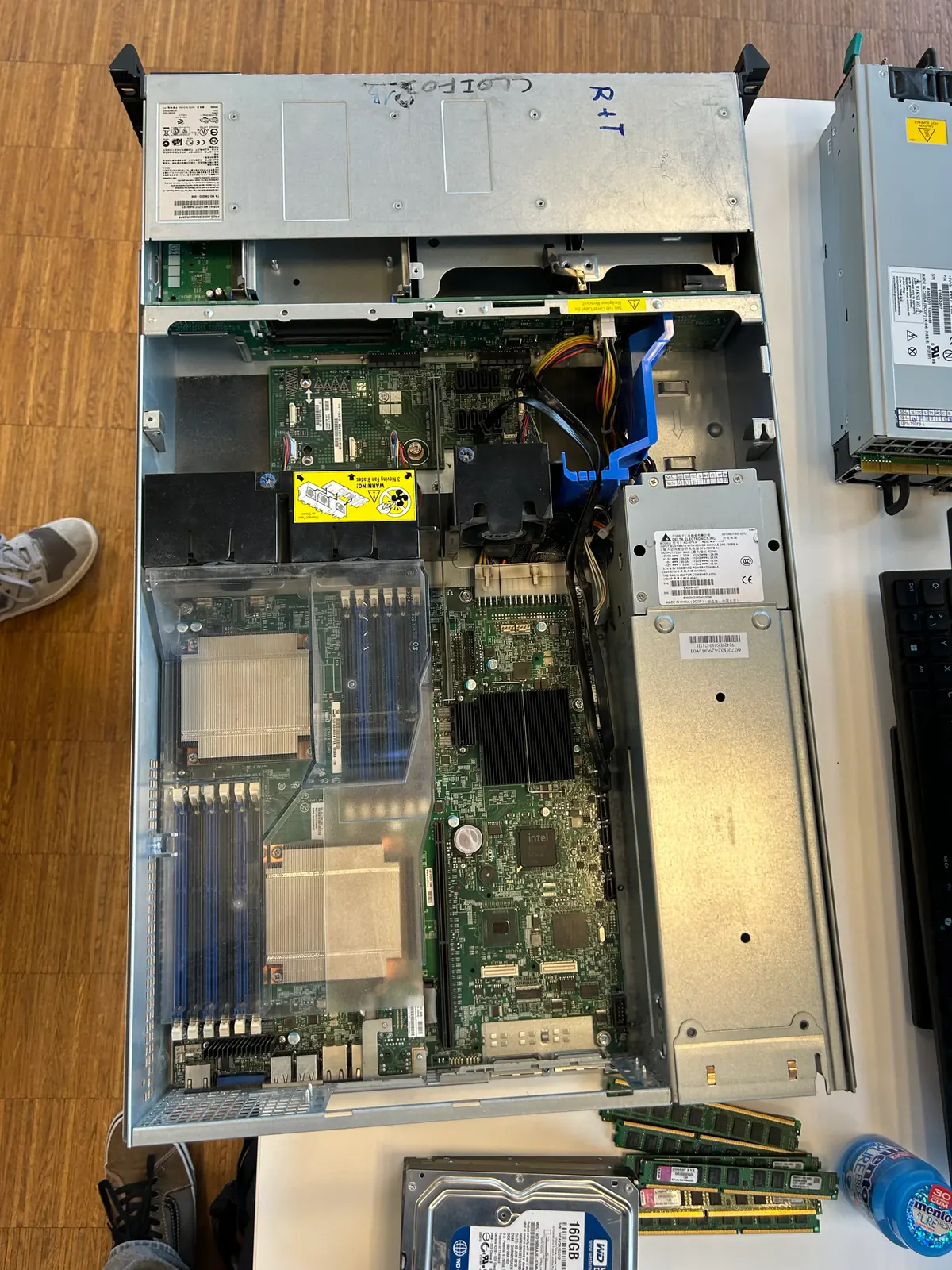
The Intel SR2600 opened up during staging, showing the dual-CPU mainboard, the DDR3 modules and the front drive bays.
Inside the Server
The Hardware
- The machine we got is an Intel SR2600 2U rack server on an S5520UR board, with dual Intel Xeon X5650 (12 cores total) and 16 GB of DDR3 ECC across six channels. Staging meant fitting the RAM, the native SATA disks and the SAS disks, slotting the RAID controller into the PCIe riser, testing the redundant power supplies for failover, and going through the BIOS to make sure everything was detected before any OS touched the disks.
Storage & RAID
- Three enterprise 15K SAS disks that a dedicated RAID controller presents as one logical volume. All the redundancy happens in hardware, so UnRAID just sees a single disk.
- Two native SATA disks mirrored as a Btrfs RAID 1 pool. Each disk holds a full copy, so losing one drive loses no data. This is where the Backup share lives.
The Software: UnRAID
- The module ran as a comparison across teams. Several NAS platforms were on the table and each team took a different one. Ours was UnRAID by Lime Technology, a Linux-based NAS OS that is good at mixing disks of different sizes in one parity-protected array, with a friendly web UI, Docker, VMs and a plugin store (Community Apps). Alongside the build we dug into where a NAS fits, how DAS, NAS and SAN differ, why compute and storage get separated in production, and the trade-offs of UnRAID's paid licensing.
File Sharing & Permissions
- The setup was a family with three accounts and four SMB shares.
Photos,MediaandDocumentslive on the big RAID 5 array, andBackupsits on the mirrored RAID 1 pool. The two parent accounts get full read/write, while the child account is read-only on the libraries and can't touch Backup at all. Every share works straight from Windows, Linux and macOS, and we checked both the transfers and the permission limits with real test files.
iSCSI Block Storage
- On top of file shares, we handed out block storage over iSCSI. UnRAID has no target built in, so we added a Community Apps plugin, created a file-based LUN on the hardware RAID 5 array, and published it as a target with an ACL locked to one approved Windows initiator (by IQN). On Windows the LUN turns up in Disk Management like a brand-new local disk, so we initialised it, formatted it NTFS, and copied files over to prove the whole path works. The page also breaks down how iSCSI compares to NFS and SMB: block versus file, and who actually owns the filesystem.
Rack & Remote Management
- Once it was working on the bench, the server went onto rails in a 24U rack with tidy cabling for the data NIC, the RAID controller's management port and the out-of-band link. Remote management runs over Intel RMM3 (IPMI 2.0), which gives remote KVM, power control and BIOS access even when the OS is down, next to the UnRAID web interface for everyday admin.
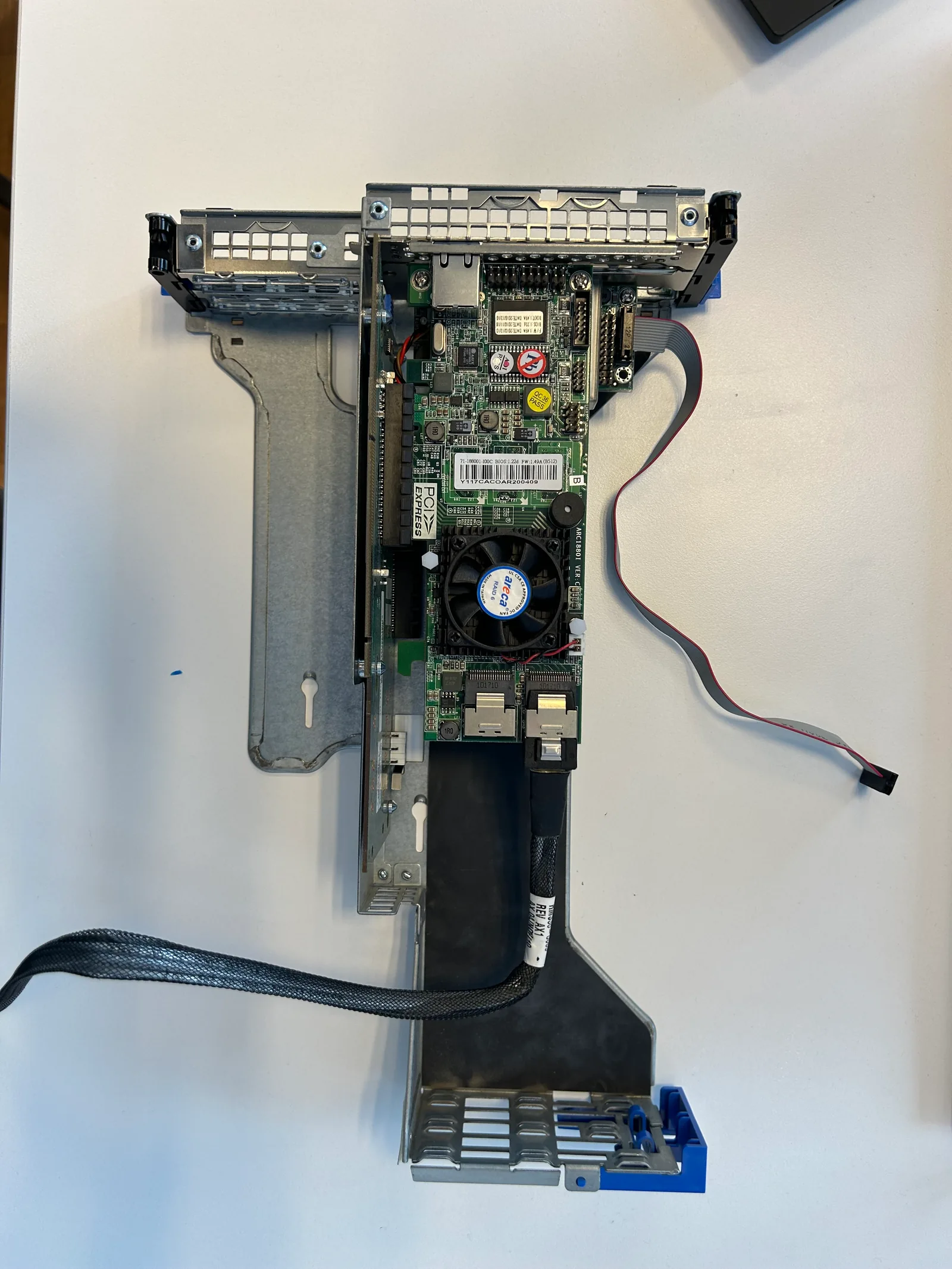
The Areca ARC-1880 on its PCIe riser. This card is what builds and owns the RAID 5 array in hardware.
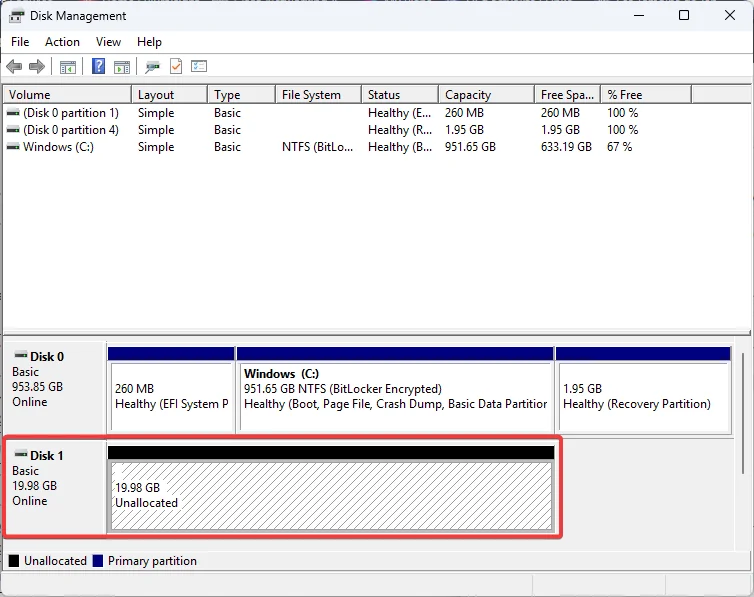
The iSCSI LUN showing up on Windows as a fresh, unallocated local disk, ready to initialise and format.
Problems Worth Remembering
When the web UI died
After a config reset, nginx threw a 502 and PHP came back blank. Restarting nginx, php-fpm and emhttp by hand fixed it - and adding the daemon to UnRAID's startup go file made it stick.
Reviving the Btrfs pool
The mirror refused to start with "Too many wrong and/or missing disks." A fresh disk assignment (New Config, keeping the assignments) and reformatting the unmounted disks brought it back.
Deliverables & Material
Public PDF exports of the technical documentation and presentation used for the module delivery.
Technical Documentation
The full build documentation, covering research, hardware staging, RAID setup, UnRAID configuration, file sharing and the iSCSI test.
Download Documentation (PDF)Presentation
The slide deck used to present and demonstrate the storage server at the end of the module.
Download Presentation (PDF)